
Table of Contents
- The First Hurdle: Activation and Security Setup
- Digital Failures: Addressing Failed Online Transactions
- Maximizing Value: Solving Reward Points Discrepancies
- Financial Friction: Billing Disputes and Payment Settlement
- Exclusive Access Barriers: Troubleshooting Lounge Denial
- Rapid Response: The Optimal Contact Strategy
- Conclusion
Even the best credit cards, designed for seamless global transactions and enhanced rewards, occasionally encounter technical or procedural roadblocks. For BOBCARD holders seeking clarity on recurring issues faced by bob card users, proactive troubleshooting is the key to maintaining financial equilibrium and maximizing benefits. Here is a definitive, technical guide to resolving the most common BOBCARD headaches, ensuring your card works for you, not against you.
The path to rapid resolution starts with recognizing the symptoms and applying the precise fix. Here is the quick-reference guide to the top five bob credit card problems:
- Card Activation & PIN Generation: If your new card registers as "Invalid" at POS terminals or ATMs, you must activate it within 30 days of receipt. The immediate fix is to use the BOBCARD App (iOS/Android) or the Customer Web Portal to "Set/Reset PIN." Crucially, navigate to settings and ensure Online and Contactless transactions are manually toggled "ON" for immediate use.
- Failed Online Transactions (OTP Issues): When you are not receiving the mandatory 3D Secure OTP or the transaction repeatedly declines, first verify that your Mobile Number is updated and accurately linked via BOBCARD Net Banking. Secondly, access the BOBCARD app to verify and adjust transaction limits; international or high-value domestic limits are often set to zero by default for enhanced security.
- Reward Points Discrepancy: If accelerated rewards (like 5X points for online or travel spends) are missing, remember that accelerated earnings generally take one full billing cycle to reflect on your statement. Check the list of exclusions Rent, Fuel, and Wallet Loads are typically disqualified. Always confirm the Merchant Category Codes (MCC) of the vendor to verify eligibility.
- Billing & Late Fee Disputes: If you were charged a late fee despite paying on the due date, the issue is almost always payment settlement time. Payments made through external aggregators (such as CRED or PhonePe) can take 2–3 working days to clear and post to your BOBCARD account. To guarantee real-time clearance, utilize the dedicated BOBCARD Instant Payment Portal. If wrongly charged, document the payment screenshot and email customerservice@bobcard.co.in.
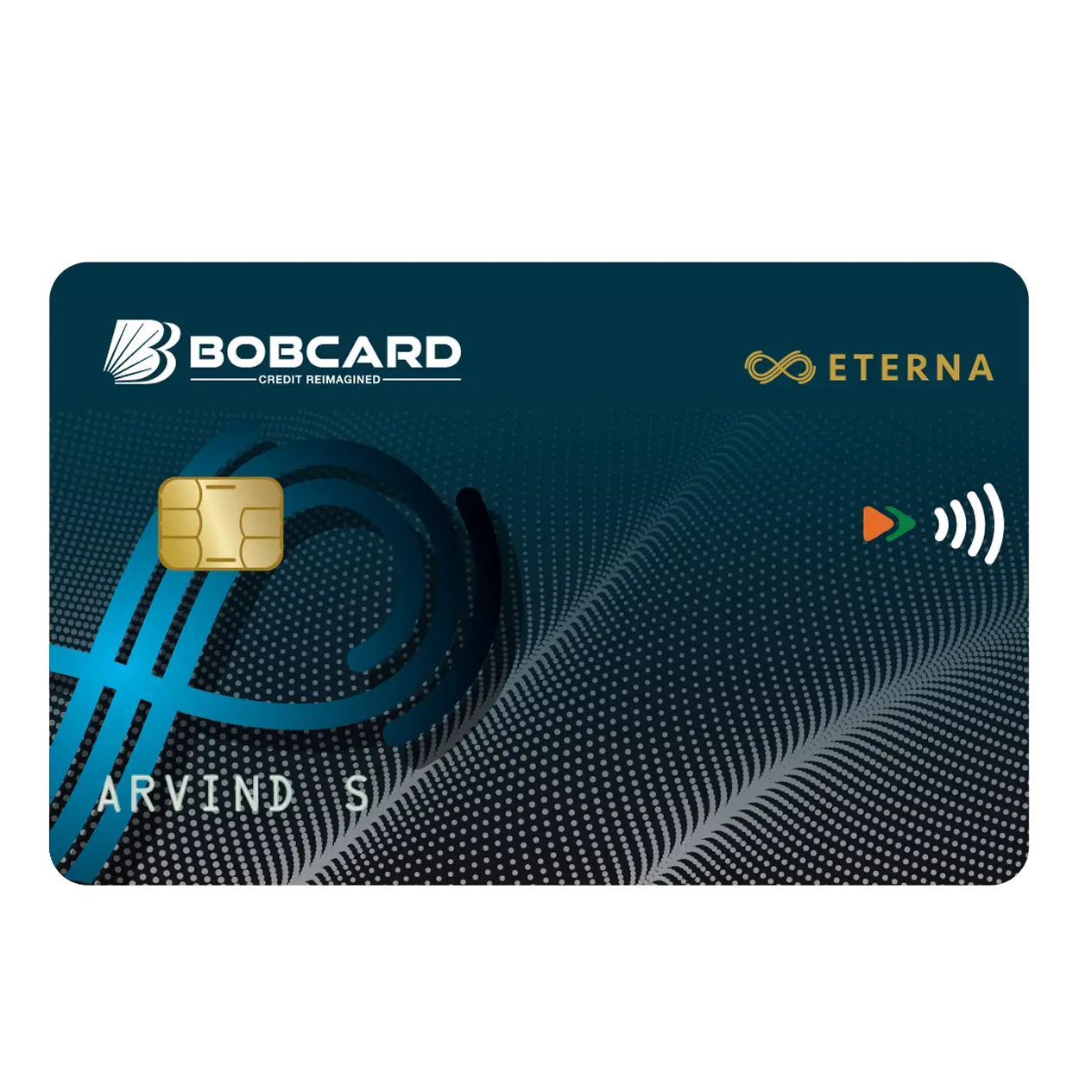
- Lounge Access Denied: A swipe declining at the airport lounge often indicates eligibility failure, not a card defect. As of the current structure (2025/2026), premium cards like BOBCARD Eterna or Premier require a minimum Quarterly Spend Requirement (QSR) in the previous quarter (e.g., ₹20,000 to ₹40,000) to unlock lounge benefits. Always verify your current eligibility status on the official BOBCARD Lounge list prior to travel.
The First Hurdle: Activation and Security Setup
One of the most frequent bob credit card complaints issues originates right at the beginning: successful activation. While the physical card is delivered, it remains inert until the cardholder completes mandatory security protocols. Failure to do so leads to the frustrating "Invalid Card" message at point-of-sale (POS) terminals.
Activation Deadlines and PIN Generation
The Reserve Bank of India (RBI) mandates specific activation procedures to prevent misuse. Upon receiving your new BOBCARD, you are allotted a specific window typically 30 days to complete the activation process.
The critical steps for new card activation include:
- Mandatory PIN Setting: The card is not usable until a secure PIN is established. This cannot be done at an ATM for the first time. The secure method involves the digital channels.
- Using Digital Channels: Navigate to the official BOBCARD mobile application or the dedicated Customer Web Portal. Within the security or card management section, select the "Set/Reset PIN" option. This securely generates and verifies your Personal Identification Number.
- First Use Protocol: Although the PIN is set, many systems require a chip-based transaction (ATM withdrawal or a swipe transaction) before full functionality is enabled for online purchases.
Understanding Transaction Controls (Toggling ON/OFF)
A significant source of bob card common issues, particularly failed transactions, is the global shift toward greater cardholder control over security parameters. Following RBI guidelines, most banks now issue cards with certain transaction types disabled by default.
If your card is successfully activated but online or contactless payments are failing, review the following settings in your BOBCARD app:
- Online/E-commerce Transactions: This toggle controls all payments requiring a 3D Secure OTP. If set to "OFF," all online purchases will decline, regardless of available limit.
- Contactless (Tap-and-Go) Transactions: This controls NFC/tap functionality. It is often disabled by default and may also have a daily cumulative limit (typically ₹5,000 in India).
- International Transactions: This must be enabled manually if you plan to use the card outside India or for foreign currency payments to international merchants (e.g., streaming services billed in USD).
- ATM/Cash Withdrawal Limit: While distinct from your overall credit limit, the daily cash withdrawal limit is often set low by default and can be adjusted upwards via the app.
Regularly auditing these controls ensures the card’s operational readiness for various use cases.
Digital Failures: Addressing Failed Online Transactions
The frustration of a declined transaction at the moment of checkout especially after entering a valid OTP is highly common. These bob credit card problems often relate to miscommunication between the bank’s security system and the merchant’s gateway.
OTP Non-Receipt and Mobile Number Linkage
The One-Time Password (OTP) is the foundation of 3D Secure authorization. If you fail to receive the SMS OTP, the issue lies squarely in your registered contact details or network connectivity.
The Fix Checklist:
- Check Primary Contact Details: Ensure the mobile number linked to your BOBCARD is identical to the number registered with your core BOBCARD Net Banking profile. Discrepancies here halt the communication flow. Update details via BOBCARD Net Banking or by visiting your nearest branch, as changing the number only in the card application may not be sufficient for the core banking system (CBS).
- DND Status: Verify that your mobile number is not registered under a "Do Not Disturb" (DND) service that filters out banking-related short codes.
- Network Issues: Transient network problems can delay or drop the SMS. Wait 60 seconds and request a fresh OTP.
- Session Timeouts: Most OTPs are valid for 10 minutes. If the bank’s security gateway receives the OTP submission after the timer expires, the transaction fails and requires a complete restart.
Limit Management and Security Caps
Beyond the overall credit limit assigned to your card, the system imposes secondary limits that are frequently overlooked and lead to declines for recurring issues faced by bob card users.
Daily, Monthly, and Transaction-Specific Limits
BOBCARD, in compliance with security mandates, assigns specific caps on different transaction categories:
| Transaction Type | Default Security Limit (Illustrative) | Key Troubleshooting Action |
|---|---|---|
| Contactless (Per Txn) | ₹5,000 | Can often be adjusted up to ₹25,000 via the app. |
| Domestic E-commerce (Daily) | Varies based on card type | Check and increase the specific "Online/E-commerce Daily Limit" in the app. |
| International Transactions (Monthly) | Often set to ₹0 | Must be manually toggled ON and assigned a specific monetary cap. |
| ATM Cash Withdrawal (Daily) | Low percentage of total limit | Increase via the mobile app before attempting the withdrawal. |
If you attempt a ₹1,00,000 online purchase but your daily limit for e-commerce is set to ₹50,000, the transaction will decline, even if your total available credit is ₹5,00,000. These limits must be managed dynamically through the app settings before major purchases.
Geo-Fencing and International Transactions
For cardholders traveling abroad, repeated denials when attempting foreign currency transactions are a common complaint. This is usually due to geographical security controls (geo-fencing).
- Enable International Usage: The card must be specifically enabled for international transactions using the mobile application. This is a separate toggle from domestic e-commerce usage.
- Define a Limit: You must assign a monetary cap (e.g., ₹50,000) for international use. If no limit is defined, the system defaults to zero.
- ATM Network: Ensure the ATM you use abroad supports the card network (Visa, Mastercard, etc.). Using a proprietary network ATM may lead to non-recognition.
Maximizing Value: Solving Reward Points Discrepancies
Credit card rewards programs are complex ecosystems governed by fine print. Discrepancies in accelerated reward points are among the most frustrating bob card common issues because they directly affect the value proposition of premium cards like the Eterna or Premier variant.
The T+1 Billing Cycle Rule
The primary reason accelerated rewards (e.g., 5X, 10X points) are not immediately visible is the settlement lag.
- Standard Rewards: Base reward points (1 point per ₹100 spent, for example) are often credited almost immediately upon transaction posting.
- Accelerated Rewards: These bonus points are typically calculated at the end of the statement generation cycle. The bank’s algorithm must categorize the transaction, verify the Merchant Category Code (MCC), and then apply the multiplier. This complex reconciliation process means the bonus points appear one full billing cycle after the purchase was posted.
If you made a 5X qualifying purchase on May 5th, and your billing cycle closes on May 20th, expect the standard points on May 6th, but the accelerated bonus points will likely only reflect on the statement generated in late June.
Exclusions and Merchant Category Codes (MCCs)
The biggest trap in rewards accumulation lies in excluded categories. While a purchase might look like "online shopping," the underlying banking code (MCC) determines the reward rate.
Common Reward Exclusions
For most BOBCARD reward programs, the following MCC categories are universally excluded or only earn base rewards:
- Fuel/Gas Stations (MCC 5541, 5542): Purchases here often earn zero or minimal points, sometimes requiring a higher minimum spend to qualify.
- Rent Payments (MCC 6513): Transactions made via platforms like RedGiraffe or payment apps usually fall under specific utility or real estate codes that disqualify them from accelerated rewards.
- Wallet Loads and Prepaid Cards (MCC 6051): Loading digital wallets (Paytm, Amazon Pay, etc.) is typically excluded to prevent card churning and cash arbitrage.
- Government Payments and Taxes (MCC 9399): Payments to government entities or for tax purposes often yield zero rewards.
If you believe a travel booking qualified for 5X rewards but the points are missing, check your statement to see the MCC. If the travel agent processed the payment as "Miscellaneous Services" (not the specific "Airlines" MCC), the acceleration may be denied. Cardholders must confirm the MCC structure outlined in their specific card’s Terms and Conditions (T&C).
Redemption Process Hiccups
Once points are earned, difficulties can arise during the redemption stage. The BOBCARD reward portal manages redemptions for statement credit, gift vouchers, or merchandise. If your redemption fails:
- Minimum Threshold: Ensure you meet the minimum points required for redemption. Partial redemptions below the floor are usually not permitted.
- Points Expiration: BOBCARD reward points generally have a finite shelf life (e.g., 2–3 years). Points past their expiry date will be unusable.
- Technical Glitches: If the redemption portal throws an error, clear your browser cache or attempt the redemption via the mobile app, as the web portal can occasionally be unstable during maintenance windows.
Financial Friction: Billing Disputes and Payment Settlement
Billing issues, particularly incorrect late fees or discrepancies in charges, generate the most urgent bob credit card complaints issues. These often stem from a fundamental misunderstanding of payment processing timelines.
The Criticality of Settlement Time
A payment is considered "on time" only when the funds are fully settled and posted to the credit card account, not merely when the transaction is initiated from the customer’s end.
- Third-Party Aggregators: Services like CRED, PayTM, or PhonePe act as intermediaries. They initiate the payment transfer (usually via NEFT or RTGS), but the actual settlement into the BOBCARD account can take 48 to 72 business hours (2–3 working days). If you pay the minimum amount due on the night of the due date using one of these apps, the funds will often not clear until 1–2 days after the deadline, resulting in a late fee and a negative impact on your credit score.
Avoiding Late Fees with Instant Portals
To circumvent the settlement lag, cardholders must prioritize channels that guarantee real-time posting:
- BOBCARD Instant Payment Portal: This is the most reliable channel. Accessible via the BOBCARD website (even without logging in), this portal uses immediate payment gateways (often BillDesk or similar services) to ensure the payment is posted instantly or within a few hours, thus avoiding late fees.
- BOBCARD Net Banking / BOBCARD World App: If you have a Bank of Baroda Savings Account, paying the card through the linked Net Banking facility also guarantees rapid internal fund transfer and immediate posting.
- NEFT/RTGS initiated directly from other banks: While faster than third-party aggregators, these are still subject to bank working hours. Use this method only if payment is initiated at least 24 hours before the due date.
Dispute Resolution Protocol
If you are wrongly charged a late fee due to system error, or if a transaction needs to be disputed (e.g., double charging, unrecognized merchant charge), follow the formal protocol:
- Immediate Documentation: Capture a screenshot of your payment confirmation (showing the date and time) or the disputed transaction on your statement.
- Formal Email: Email the detailed complaint to customerservice@bobcard.co.in. Include your card number, contact details, the transaction date/amount, and attach the supporting documentation.
- Filing the Dispute: For fraudulent charges, immediately call the 24/7 hotline (1800 22 5100) to block the card. Follow up by submitting a Transaction Dispute Form (available on the BOBCARD website) within the mandated time frame (usually 60 days from the statement date). The bank is required by RBI rules to acknowledge the dispute within 30 days and aim for resolution within 90 days.
Exclusive Access Barriers: Troubleshooting Lounge Denial
Premium travel benefits, specifically complimentary airport lounge access, are a major draw for cards like BOBCARD Premier or Eterna. However, lounge denial is a frequent source of complaint for high-value bob credit card problems.
Quarterly Spend Requirements (QSRs)
The primary reason for lounge access denial is the widespread implementation of Quarterly Spend Requirements (QSRs). Due to overuse and rising costs, banks have moved away from unconditional access.
- The Eligibility Window: Access is rarely based on the current month's spending. Instead, eligibility for the current quarter (e.g., April–June) is determined by the total spend recorded in the previous quarter (e.g., January–March).
- Spend Threshold: Depending on your card variant, you must have spent a pre-defined amount (commonly between ₹20,000 to ₹40,000) in the previous calendar quarter. If you missed this threshold, your access will be temporarily revoked until the spending requirement is met again.
- Checking Status: Always check your eligibility status via the dedicated BOBCARD Lounge Access tracker, which provides real-time updates based on your recent spending. Do not assume eligibility based solely on holding the card.
The Priority Pass vs. Dreamfolks Confusion
Some premium BOBCARDs offer dual lounge access mechanisms:
- Domestic Access: Often managed via third-party providers like Dreamfolks or directly through Visa/Mastercard networks. This access is usually where the QSR applies.
- International Access: Typically managed through a dedicated Priority Pass membership (often charged annually or offered complimentary based on high spend). If your Priority Pass card is issued separately, ensure it is activated and the annual fee (if applicable) is paid.
A cardholder might find domestic lounge access denied due to QSR, yet their international Priority Pass is still active, causing confusion at the counter. Always differentiate between the two types of access and their specific rules.
Rapid Response: The Optimal Contact Strategy
Knowing how to navigate the customer service ecosystem can transform a lengthy wait into a rapid resolution.
Tiered Support Channels
BOBCARD provides multiple touchpoints tailored to the urgency of the issue:
| Issue Urgency | Recommended Channel | Contact Details | Notes on Use |
|---|---|---|---|
| Emergency (Loss/Fraud) | Immediate SMS Block | SMS BLOCK | Instant freezing of the card. Highest priority. |
| Urgent (Technical Glitch/Payment Failure) | 24/7 Toll-Free Hotline | 1800 22 5100 / 1800 103 1222 | Best for immediate transaction-related bob card common issues. |
| Non-Urgent (Disputes/Rewards Inquiry) | Email Support | customerservice@bobcard.co.in | Provides a written audit trail for formal complaints. |
| Self-Service | BOBCARD Mobile App | Available on iOS/Android | Essential for managing limits, PIN resets, and transaction toggles. |
When contacting the hotline for bob credit card problems, ensure you have your card number, registered mobile number, and the exact date and amount of the disputed transaction ready. This preparation drastically reduces call handling time.
Conclusion
A BOBCARD is a powerful financial tool, but like all complex systems, it requires regular maintenance and informed usage. By understanding the core mechanisms behind activation controls, transaction limits, MCC exclusions, and the critical time lag in payment settlements, cardholders can preempt and quickly resolve the most prevalent recurring issues faced by bob card users. Proactive management via the dedicated mobile application and knowledge of the instant payment portals are the definitive steps toward a frictionless credit card experience.
Where to Find Accurate Information
- Official MITC Documents: www.bobcard.co.in (download for your specific card)
- BOBCARD FAQ: www.bobcard.co.in/faqs
- Fee Schedule: www.bobfinancial.com/fees-charges.jsp
- Customer Care: 1800 2665 100 (ask specific questions before applying)
- RBI Guidelines: rbi.org.in for credit card regulations and consumer rights
Disclaimer
The contents of this article are meant solely for informational and educational purposes and do not constitute financial advice. The explanations provided are simplified for general understanding and may not cover all terms and conditions applicable to specific BOBCARD variants.
Interest rates, fees, reward structures, and other features mentioned are indicative and subject to change. For complete and current terms, please refer to the official MITC document for your specific card at www.bobcard.co.in.
BOBCARD Limited/Bank of Baroda shall not be responsible for any decisions made based on this article. Please consult the official documents and, if needed, a financial advisor before making any credit decisions.
*Terms and Conditions Apply.